WebCodecs – Low-Level Media Encoding and Decoding in the Browser
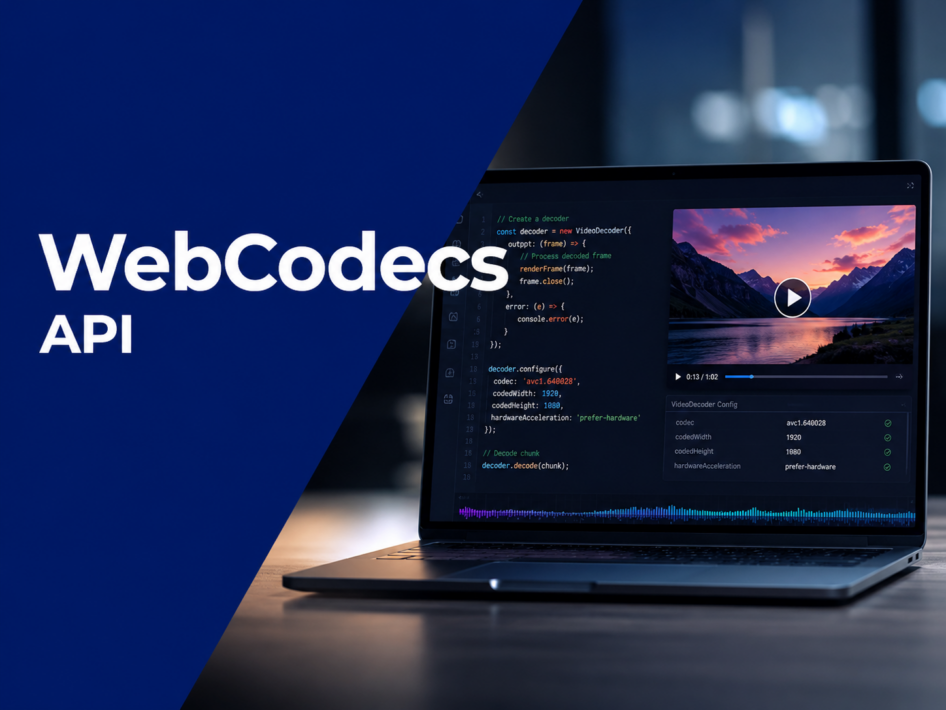
For everyone building – or planning to build – video streaming services that run inside a web browser, there comes a moment when the standard tools simply aren’t enough. The <video> tag, Media Source Extensions, WebRTC – each does its job, but each also hides the codec behind a thick layer of abstraction that you can neither see into nor control. In this article, I will allow myself to describe the WebCodecs API: what it is, where it came from, what it gives us, what it demands in return, and how it fits into a modern low-latency streaming pipeline.
History and origins
Here is the thing worth understanding first: the low-level machinery that WebCodecs exposes has been sitting inside our browsers for years. We have been using it the whole time – only indirectly, and without any control over it. Every time WebRTC negotiated a video call, the browser was busy encoding and decoding frames on our behalf, deep inside its own pipeline. We could start the process and stop it, but we could not reach in and touch the codec itself.
And let me make one point absolutely clear right at the outset, because it is the source of most early confusion: WebCodecs is not a protocol. It is a browser API. It says nothing whatsoever about how the encoded bytes arrive at the page. That is entirely up to you – the data can come over plain WebSockets, over WebTransport, over a fetch stream, or even from a file on disk. WebCodecs does not care. Its only job is to turn encoded data into frames, and frames back into encoded data.
So why did it need to exist at all? For most of the web’s history, the browsers’ codecs were locked away. You could hand a file to a <video> element, push a container into Media Source Extensions, or decode a clip through the Web Audio API – but there was no general-purpose way to take a raw stream of encoded frames and simply say: “decode this.” Developers who needed real control responded by shipping entire codecs compiled to JavaScript or WebAssembly. This meant re-downloading a decoder the browser already had built in, burning CPU and battery on software decoding, and giving up hardware acceleration entirely.
WebCodecs was the W3C’s answer. The Media Working Group designed it as a thin, low-level interface that exposes the browser’s existing audio and video encoders and decoders directly to JavaScript. Chrome shipped it as stable in version 94 (2021), and the other engines followed over the following years. The design philosophy is deliberately minimal: the API hands you raw frames and encoded chunks, and otherwise stays out of your way.
What it is and main characteristics
At its core, WebCodecs is a codec API and nothing more. It gives your code direct access to the browser’s built-in encoders and decoders, operating on two kinds of data:
- Encoded data – EncodedVideoChunk and EncodedAudioChunk, which carry codec-specific compressed bytes (an H.264 access unit, an AAC frame, and so on).
- Raw data – VideoFrame for decoded pictures and AudioData for decoded audio samples, ready to be rendered.
The best way to grasp what you are signing up for is this: with WebCodecs, you are effectively writing your own video player inside the browser, from the decoder outward. The browser gives you the engine; the rest of the car is yours to build.
That is also why it is worth repeating what WebCodecs is not. It is not a networking layer, and it is not a container parser. It will not fetch your stream, it will not demux your fMP4 or MPEG-TS, and it will not synchronise audio with video for you. Those responsibilities stay firmly on your side of the fence. This is both its greatest strength and its steepest learning curve.
Core building blocks
The entire API is built around a small set of classes, which makes it pleasantly easy to learn even if it is demanding to use well:
- VideoDecoder – takes EncodedVideoChunk objects and produces VideoFrame objects.
- VideoEncoder – takes VideoFrame objects and produces EncodedVideoChunk objects.
- AudioDecoder – takes EncodedAudioChunk objects and produces AudioData objects.
- AudioEncoder – takes AudioData objects and produces EncodedAudioChunk objects.
- ImageDecoder – a convenience decoder for still images and animated image formats.
Two data carriers round things out: VideoFrame, which holds a decoded picture (and can be drawn straight to a canvas or uploaded as a WebGL/WebGPU texture), and AudioData, which holds decoded PCM samples destined for an AudioWorklet. The symmetry between the encode and decode paths is intentional, and it makes the mental model refreshingly clean.
Advantages
The appeal of WebCodecs comes down to one word: control. Once you accept the responsibility that comes with it, you gain capabilities no higher-level API can match:
- Ultra-low latency. Because you own the decode queue and the buffer directly, there is no opaque internal buffering deciding when a frame finally reaches the screen. Glass-to-glass latency can be pushed down to the level of WebRTC – and, with the right transport and tuning, even below it.
- Full control – and full responsibility. This is the trade at the heart of the API. Nothing is hidden from you, which means nothing is handled for you either. (More on the second half of that bargain in the next section.)
- Hardware acceleration. When the system codec is GPU-backed, the browser uses it automatically and falls back to software only when it must – without you re-implementing anything.
- Frame-accurate access. Every decoded frame is yours, with its presentation timestamp, ready to be inspected, processed, composited, or dropped.
- Off-main-thread operation. Decoders and encoders run happily inside Web Workers, and frames can be rendered to an OffscreenCanvas, keeping the UI thread smooth even under heavy load.
- Custom rendering. Draw frames to a 2D canvas, feed them to WebGL or WebGPU, or pipe them through your own compositor.
- A natural partner for modern transports. Paired with WebTransport or the emerging Media over QUIC stack, WebCodecs forms the backbone of the next generation of low-latency, high-scale streaming.
Disadvantages and challenges
Everything WebCodecs hands you in control, it takes back in complexity. This is not an API you reach for casually – and the honest summary of its downside is simple: there is an enormous amount of difficult machinery to get right, and you have to get it right all at once.
- You build the whole pipeline. Demuxing the container, managing the buffer, absorbing network jitter, synchronising audio and video, smoothing the playback clock – all of it is your code. The API gives you a decoder, not a player.
- Audio rendering is on you. Decoded AudioData has to reach the speakers through an AudioWorklet, which in practice means writing a ring buffer and feeding it sample-accurately. Get the timing wrong and you hear clicks, gaps, or drift.
- A/V synchronisation is genuinely hard. Keeping a separate audio clock and video clock locked together – including catch-up logic when one falls behind – is one of the trickiest parts of any custom player, and WebCodecs does none of it for you.
- No networking, no containers. You supply the transport and the demuxer. The browser will not parse your fMP4 for you here.
- Backpressure must be respected. Decoders expose a queue; flood it and you fall behind, starve it and you stall. Managing that pressure is part of the job.
None of these are insurmountable, but together they explain why a production-grade WebCodecs player is a serious engineering effort rather than a weekend project.
Supported codecs
WebCodecs itself does not mandate a codec list. The available codecs depend on the underlying platform, which leads to the single most important practical fact in this section: different browsers on different operating systems can expose different combinations of codecs, and your viewers will be spread across all of them. You therefore cannot assume support – you probe for it at runtime with VideoDecoder.isConfigSupported() (and the equivalents for the other classes) before configuring anything.
In broad terms, the commonly available video codecs are:
- AVC / H.264 (effectively universal)
- HEVC / H.265 (where the platform licenses and exposes it)
- VP8 and VP9
- AV1
And on the audio side:
- AAC
- Opus
- MP3
- FLAC
- Vorbis
- PCM (raw, uncompressed – useful as an AudioData format)
A word of caution on the encode path: support for encoding is patchier than for decoding. AAC encoding, for example, is absent in Firefox on every platform and unavailable on desktop Linux across browsers, while MP3 encoding is essentially unsupported anywhere. Always probe, never assume.
Browser support
This is the section to read carefully, because WebCodecs reached broad, dependable support only relatively recently:
- Chrome / Edge – full support since version 94 (2021) on desktop; Chrome for Android caught up with the complete API more recently.
- Firefox – full support on desktop from roughly version 130 onward. Firefox for Android, however, does not support it.
- Safari – this is the one that matters most. Safari 26.0 (late 2025) finally brought full WebCodecs support across macOS, iOS, and iPadOS. That last point is the turning one: it is only since Safari 26 that the API works on iPhones and iPads at all in its complete form – and it is precisely that milestone that makes WebCodecs viable for widespread, production use rather than a desktop-only curiosity. Earlier Safari versions, from 16.4 through 18.7, shipped only the video interfaces, with no audio path – the very limitation that made building a fully cross-platform player on iOS such an ordeal for so long.
- Opera (80+) and Samsung Internet (17+) follow the Chromium support model.
The practical takeaway: on modern devices you can now rely on WebCodecs almost everywhere, but if your audience still includes older iOS versions, you must plan a fallback path – exactly as you would for any other cutting-edge media feature.
How it fits into a streaming pipeline – the mechanics
WebCodecs sits in the middle of a chain you assemble yourself. A typical live-playback pipeline looks like this:
- Transport. Encoded media arrives over the network – commonly a WebSocket, increasingly WebTransport or a Media over QUIC layer for the lowest latency. (Remember: WebCodecs is indifferent to which.)
- Demuxing. Your code – or a small WebAssembly demuxer – parses the container, whether fMP4, MPEG-TS, or a custom framing, and pulls out the raw encoded units, tagging each with its timestamp.
- Decoding. Each unit becomes an EncodedVideoChunk or EncodedAudioChunk and is pushed into the appropriate decoder. Timestamps are expressed in microseconds, and the decoder needs a key frame to begin, so key-frame tracking matters.
- Frame handling. The decoder emits VideoFrame and AudioData objects through callbacks. You hold these in your own buffers, managing decoder backpressure so you neither stall nor overrun.
- Rendering. Video frames are drawn to a canvas – 2D, WebGL, or WebGPU – on a clock you control; audio samples are written into an AudioWorklet ring buffer and played back sample-accurately.
- Synchronisation. A master clock – usually the audio clock – drives the timing, and the video side catches up or drops frames to stay aligned. Techniques such as WSOLA can gently stretch or compress audio to absorb drift without audible artefacts.
It is, in essence, the architecture of a media player turned inside out: every stage that a <video> element normally hides becomes explicit, inspectable, and tunable.
WebCodecs vs MSE vs WebRTC
Choosing WebCodecs is a design decision, not a default. It helps to know where it sits relative to the alternatives:
- Media Source Extensions (MSE) works at the container level. You append fragmented MP4 and the browser handles demuxing, buffering, decoding, and synchronisation. It is far less work and excellent for HLS/DASH-style playback – but its internal buffering is a black box, which puts a floor on how low your latency can go.
- WebRTC is purpose-built for real-time, peer-to-peer communication. It is superb for sub-second conversational latency at low volume, but its signalling complexity and one-to-few design make it awkward for large-scale broadcast.
- WebCodecs gives you the codec and nothing else, leaving transport, buffering, and sync in your hands. That is more work, but it is the only path to a player tuned exactly to your latency, scale, and feature requirements.
In short: MSE for convenience, WebRTC for conversation, WebCodecs for control.
Summary
WebCodecs closes a gap that sat open in the web platform for over a decade. By exposing the browser’s own, hardware-accelerated codecs directly to JavaScript, it finally lets developers build serious, low-latency media applications without smuggling entire decoders into WebAssembly. The price is responsibility: WebCodecs hands you a powerful engine but no chassis, and the surrounding pipeline – demuxing, buffering, synchronisation, audio rendering – is yours to engineer.
With Safari 26 bringing full support to the Apple ecosystem, the API has crossed an important threshold. Capabilities that previously had to be polyfilled or skipped now deserve a first-class implementation, and WebCodecs – particularly alongside WebTransport and Media over QUIC – is poised to underpin the next generation of streaming on the web.
Storm Streaming Server & WebCodecs
This is exactly the territory where a purpose-built player earns its keep. The Storm player leverages WebCodecs to deliver ultra-low-latency playback directly in the browser, with full control over the decode queue, buffering, and audio-video synchronisation rather than relying on a higher-level API’s opaque buffering. Combined with Storm Streaming Server’s own low-latency delivery, this allows glass-to-glass latency well below what conventional HLS or DASH playback can offer – while gracefully falling back on platforms where WebCodecs is unavailable, so that no viewer is ever left without a stream.