
Storm as a Wowza Alternative
Storm Streaming Server is a modern alternative to Wowza Streaming Engine, designed with a different architectural approach. Instead of relying heavily on third-party components, Storm introduces a fully integrated ecosystem that combines server, player, and broadcaster into a unified solution.
Below is a detailed comparison of both platforms.
 STREAMER
 STORM SERVER
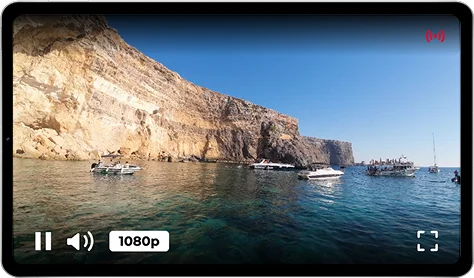 STORM PLAYER
Product Architecture
The software was designed from the ground up to work with a dedicated video player (Storm Player) and webcaster (Storm Broadcaster). This approach enables deep integration across the entire ecosystem. The player is responsible not only for video playback, but also for sending feedback about playback quality, latency, buffer size, and any issues experienced by the viewer. The player also receives real-time information about the stream status in the system (published, unpublished, or unavailable). Storm Broadcaster provides similar capabilities, including the ability to measure network bandwidth in real time.
Third-party players are also supported.
The software is designed to work with a wide range of players such as JWPlayer, FlowPlayer (currently owned by Wowza), and Video.js. Integration with analytics is possible through dedicated plugins and third-party services (e.g., Google Analytics), but requires additional configuration work. Wowza does not provide a dedicated webcaster - browser-based publishing requires integration with third-party solutions or the use of WebRTC.
Control Panel
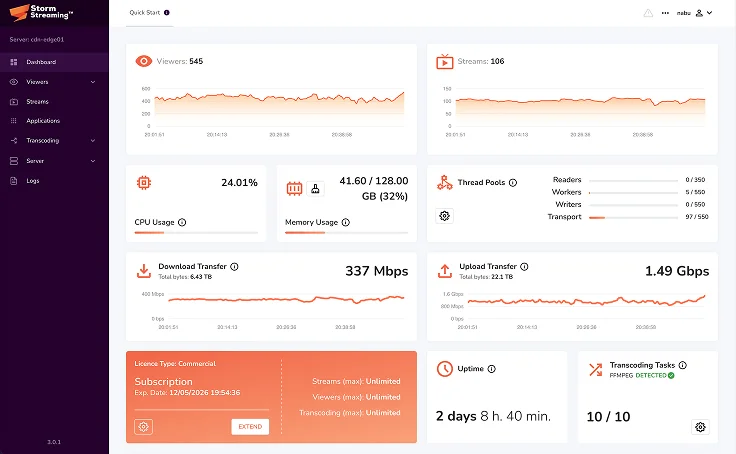
The control panel is highly advanced. In addition to full configuration capabilities, it provides access to statistics at multiple levels (server, stream, viewers, and cluster). It also allows creating and previewing live streams.
The control panel (Wowza Streaming Engine Manager) allows full server configuration and provides access to basic statistics such as CPU usage, memory usage, bandwidth, and disk usage. It offers built-in integration with popular CDNs (Akamai, Fastly, CloudFront). Live stream preview is limited - the panel does not allow direct playback of a stream or inspection of its quality parameters.
Statistics and Monitoring
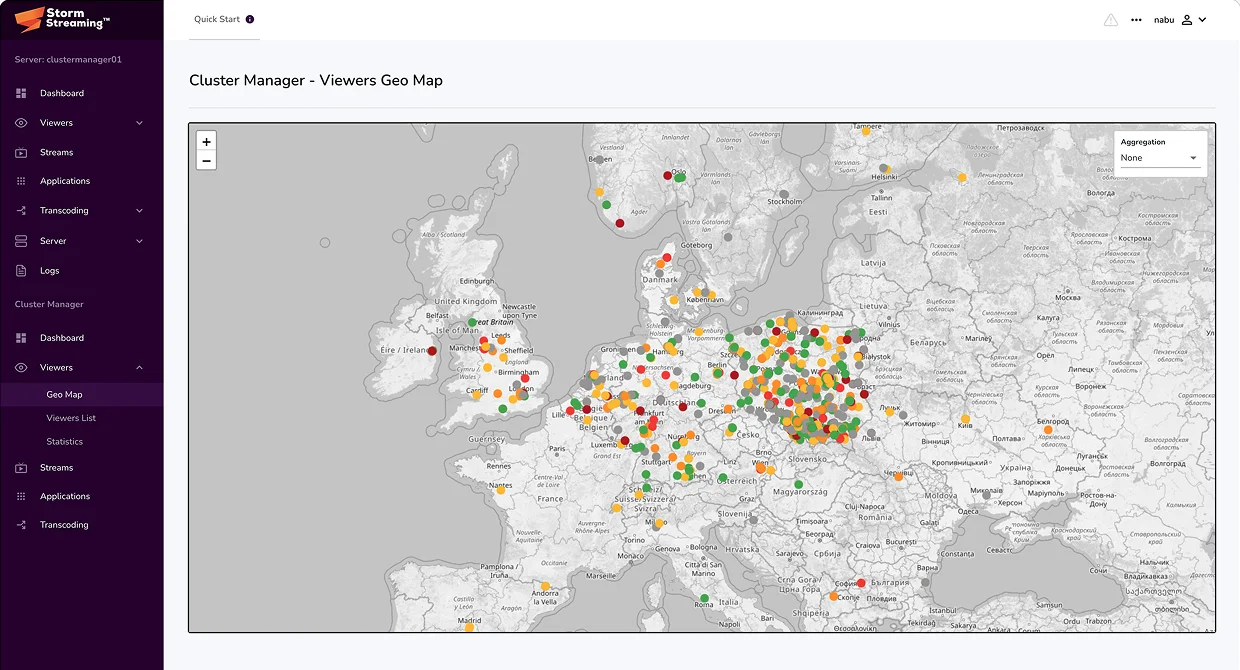
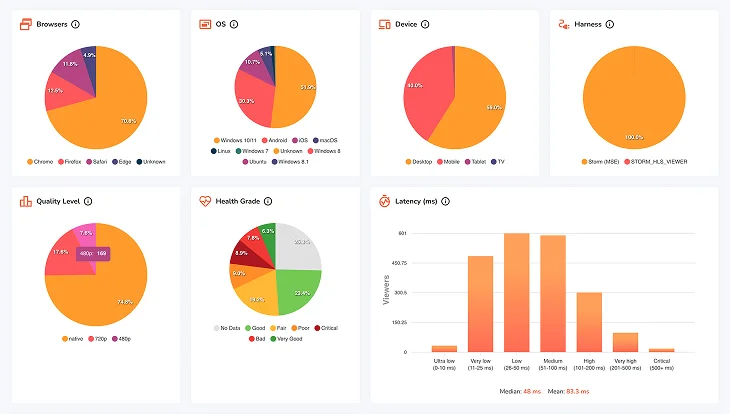
Thanks to dedicated players, it enables real-time insight not only into viewer geolocation, but also into playback parameters such as latency, buffer size and stability, and bandwidth usage. This provides full visibility into what viewers are actually experiencing. Incoming streams are also evaluated in terms of frame rate stability, latency, and buffer fluctuations, allowing quick identification of healthy and problematic streams.
Provides insight into the number of connections per stream, broken down by protocol, as well as bandwidth usage. Detailed playback quality statistics on the viewer side are not available natively and require integration with external analytics tools.
Cluster
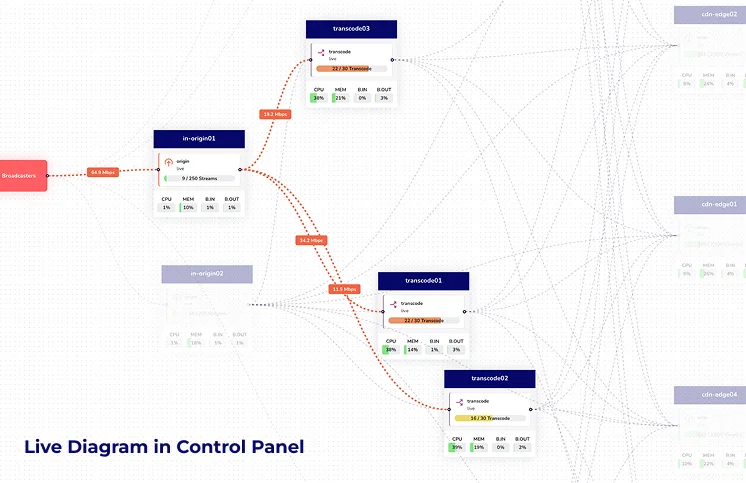
Features a centralized and dynamic cluster architecture. Origin, transcode, and edge applications connect to a designated instance with an active Cluster Manager module. When a stream is published on an origin server, the information is automatically propagated to all edge applications. Storm also allows collecting and processing statistics about streams and viewers across the entire cluster within the Cluster Manager. Based on this data, it is possible to dynamically transcode, for example, the most popular streams within dedicated transcode applications.
Offers clustering based on two application types: "liveorigin" and "liveedge". Edge applications must be preconfigured with a source (liveorigin) from which streams are replicated. Transcoding is performed only on liveorigin applications. The StreamResolver plugin allows liveedge applications to query a list of configured origins for stream availability. Cluster configuration is static - adding a new node requires manual configuration updates. There is no centralized cluster dashboard or aggregated statistics.
REST API
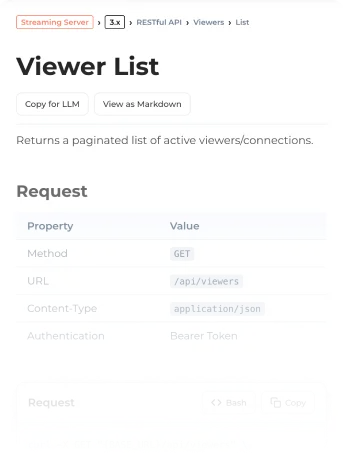
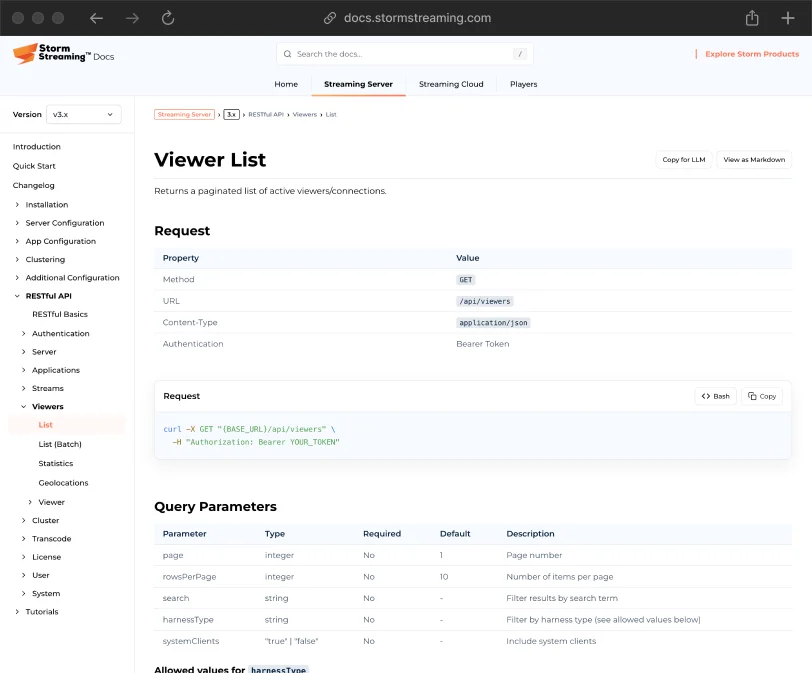
Provides a very extensive REST API with approximately 140 endpoints, enabling management of all server components and modules, including applications, streams, viewers, and transcoding. In a server instance with an active Cluster Manager module, it is also possible to control individual nodes, streams, and cluster-wide transcoding.
Provides a REST API with approximately 80 endpoints, covering management of applications, streams, recording, and transcoding. It is also possible to extend server functionality using custom Java modules (Server-Side API). The API documentation is publicly available and well maintained.



 STORM STREAMING SERVER
Transcoding
Allows stream transcoding based on a flexible preset system. It supports both CPU-based encoders (x264) and GPU-based encoders (NVENC, AMF, QSV). The number of transcoding tasks depends solely on the hardware on which the server instance is running. Transcoding is available on all supported platforms.
Includes a built-in transcoding module that also supports both CPU and GPU (NVENC, QSV). The number of configuration options is more limited compared to Storm. Transcoding is available only on Windows and Linux. A single license allows up to 10 simultaneous transcoding tasks - exceeding this limit requires purchasing additional licenses.